
Photoroom: AI Photo Editor
Screenshots




Photoroom: AI Photo Editor changes how you edit pictures on your phone. Creating clean and beautiful product photos used to take a long time. Now, advanced artificial intelligence handles the hard work in seconds. Sellers, creators, and everyday users can elevate their visual game without technical design knowledge. This mobile studio gives you professional tools directly in your pocket.
Then, you can say goodbye to messy backdrops and busy compositions. The editor uses smart automation to isolate your subject with extreme precision. It works perfectly on tricky areas like hair and clear objects. Because of this speed, you save precious hours every week. Let us explore how this tool alters your creative workflow.
Photoroom Removes Backdrops Automatically
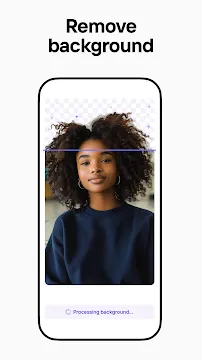
The core strength of Photoroom: AI Photo Editor lies in its automated cutting engine. You simply select an image from your gallery. Then, the tool separates the subject from its background instantly. The results look remarkably sharp and clean.
- It handles complex shapes without manual tracing.
- It works on clothing, electronics, and food items.
- It identifies fine details like strands of hair smoothly.
Traditional software requires you to draw lines around your objects. This process feels tedious and takes too much effort. Fortunately, this intelligent tool completes the task with a single tap. You get a clean cutout ready for any new creative backdrop.
Photoroom Generates Realistic Product Scenes
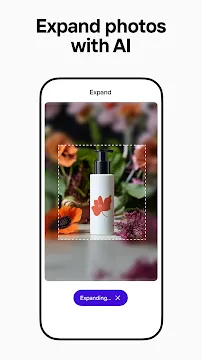
Once you have a clean cutout, you need a striking scene. Photoroom: AI Photo Editor offers custom AI backgrounds for your items. You can type a brief text description of the environment you want. Then, the engine creates a realistic setting in less than a second.
For instance, you can place a shoe on a wet stone surface. The tool will generate realistic studio lighting automatically. It also adds natural reflections to match the new setting. Consequently, your basic snapshot looks like a high-end commercial photograph.
Photoroom Saves Time with Batch Editing
Sellers often need to process dozens of item photos at once. Photoroom: AI Photo Editor includes a powerful batch mode to solve this issue. You can select multiple images from your phone folder simultaneously.
- The editor applies the exact same cutout style to all selected images.
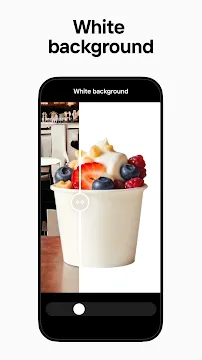
- It places every single item against a uniform white background.
- It resizes your images for various online marketplaces instantly.
This automation ensures your online store looks consistent and trustworthy. You do not have to edit every image individually anymore. Therefore, managing your digital inventory becomes a fast and simple task.
Erase Unwanted Objects Flawlessly
Sometimes, a great picture contains distracting elements or random blemishes. Photoroom: AI Photo Editor features a magic retouch tool to fix these flaws. You simply swipe your finger over the object you want to disappear.
Then, the smart eraser removes the distraction immediately. It fills the empty space by analyzing the surrounding textures. The final image looks natural as if the object was never there. This feature helps you clean up street shots or messy tables easily.
Photoroom Adds Depth with Custom Shadows
Flat photos look unprofessional and fail to catch the eye of buyers. Photoroom: AI Photo Editor solves this problem by using realistic AI shadows. The software understands the three-dimensional shape of your item.
- It casts a soft shadow based on the position of your subject.
- It allows you to adjust the softness and intensity of the shadow.
- It lets you control the angle to mimic natural sunlight.
These subtle depth effects make your products pop off the screen. They give your images a premium feel without real studio hardware. Your listings will look authentic and attract more clicks from shoppers.
Photoroom Optimizes Visuals for Marketplaces
Online platforms require specific image dimensions for product listings. Photoroom: AI Photo Editor includes built-in resizing templates for major digital storefronts. You can adapt your artwork for channels like Instagram or e-commerce sites.
The tool centers your subject automatically during the resizing process. It adds necessary padding so your item never gets cropped unnaturally. Because of this feature, you can publish your content across multiple platforms quickly.
Conclusion
Photoroom: AI Photo Editor simplifies graphic design tasks for mobile users. It combines background removal, scene generation, and object erasing into one fast tool. You get high-quality visual content without paying for expensive software or studio rentals. The automated features help you build a professional brand identity with minimal effort. Whether you run a business or share daily stories, this tool upgrades your photography instantly.